Overview
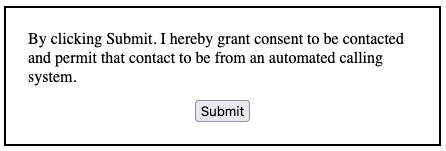
TrustedForm Certify requires website owners to add consent tags to their lead generation forms to accurately assess how their practices align with business requirements, particularly in terms of compliance and lead quality. In order for lead buyers to verify this in an automated fashion, the lead generator must add specific tags to elements of their lead form using HTML attributes. This document provides instructions to do so.Implementation
Note that failure to include or tag elements correctly could result in TrustedForm certificates failing various checks/filters. Any misrepresentation of elements in order to circumvent protections that TrustedForm puts in place could result in a loss of service.Prerequisite
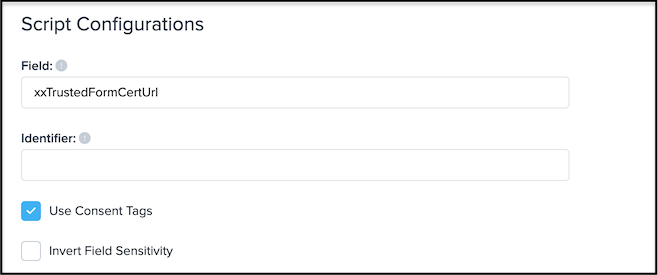
Configure the Certify Web SDK with the query parameteruse_tagged_consent equal to true.
For assistance visit the TrustedForm Certificates Setup page in the ActiveProspect platform, enable the “Use Consent Tags” script configuration, copy the updated Javascript Snippet and add this to your website (replacing any existing implementations).
Tags required to enable lead buyers to use all current TrustedForm Verify features
offersubmitconsent-language- one (but not both) of the following:
consent-advertiser-nameconsent-opted-advertiser-input-nand its correspondingconsent-opted-advertiser-name-ntag
data-tf-element-role
To tag elements of your lead form, add an attribute with the namedata-tf-element-role and the appropriate value specified below. If your form does not contain the element described in the description of the value then do not add it.
Click here to view an interactive example of a form that has implemented consent tags correctly.
This attribute can take any one of the following values:
- offer
- submit

- submit-text
- consent-language
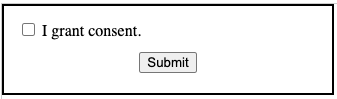
- consent-opt-in
nested
flat
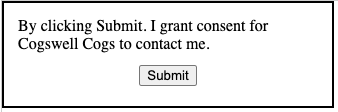
- consent-advertiser-name
Warning: when adding consent-advertiser-name to a parent element, any visible text found inside it or any child elements will be considered part of the advertiser name. This will affect the outcome of the Verify request.
-
consent-opted-advertiser-input-n
-
consent-opted-advertiser-name-n
Warning: when adding consent-opted-advertiser-name-n to a parent element, any visible text found inside it or any child elements will be considered part of the advertiser name. This will affect the outcome of the Verify request.
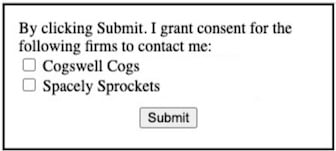
- contact-method
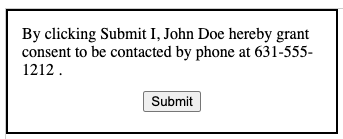
-
consent-grantor-name
-
consent-grantor-phone
-
consent-grantor-email
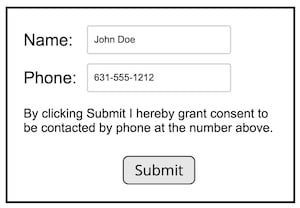
- consent-grantor-addressThese attributes should be attached to any text based or input element specifying contact information of the person granting consent to be contacted.
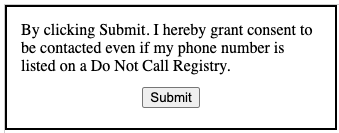
- consent-grantor-waived-dncThis should be attached to an element containing or surrounding the text inside of the consent language that specifically gives consent to call even if the number is found on a Do Not Call registry.
- consent-grantor-waived-purchase-condition This should be attached to an element containing or surrounding the text inside of the consent language where the consumer documents that they understand this contact does not oblige them to any purchases.
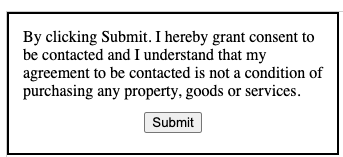
- consent-grantor-waived-regulated-technologies This should be attached to an element containing or surrounding the text inside of the consent language that specifically gives consent to use regulated technologies (e.g. automated dialing systems, pre-recorded voice, artificial intelligence, SMS/MMS)